Resize Image for Instagram
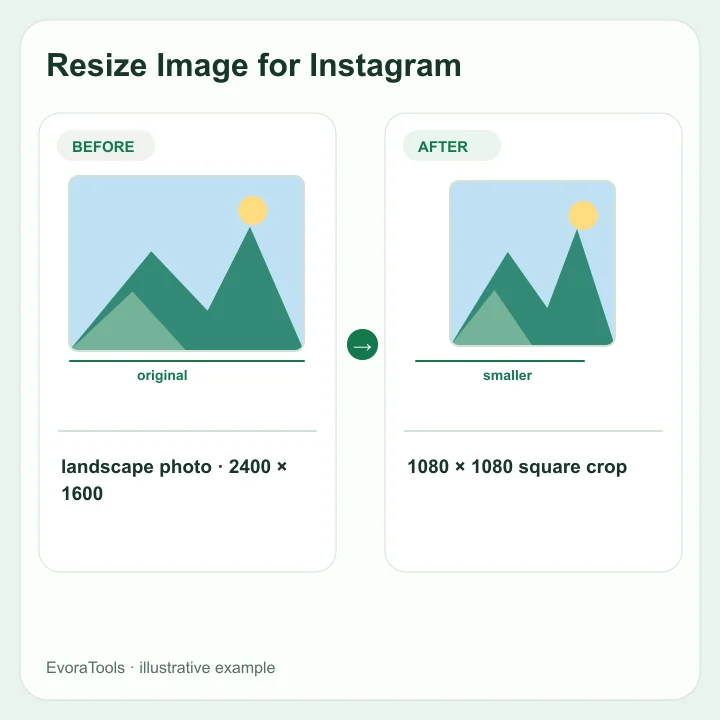
Fit an image to an Instagram-ready canvas.
Runs locally — files stay on your deviceWhat this tool does
Resize Image for Instagram provides a focused visual workflow for the operation described on this page. Selected images are previewed, processed in browser memory, and returned as a direct download or ZIP archive when multiple files are involved. Keep the original images and inspect dimensions, transparency, color, format support, and output quality before publishing or replacing production assets.
What is the quickest way to preset?
Enter Instagram format, run Resize Image for Instagram, and use the returned preset result.
Understanding resize
Image operations work with decoded pixels, dimensions, color channels, transparency, and an output encoding. Format, quality, and pixel size affect different aspects of the result. For this page, the specific intent is preset; that boundary distinguishes it from broader tools in Image.
How it works
The browser decodes the selected image, draws or transforms its pixels on a canvas, then creates a new downloadable image. Here, the relevant input is Instagram format, and the output is tailored to preset.
Key concepts
Resize Image for Instagram input and result
The input is Instagram format. The output represents preset, so review its format before reuse.
Why preset matters
A dedicated resize image for instagram workflow reduces ambiguity: the operation has one stated intent and does not silently perform unrelated changes.
When to use it
- Prepare an asset for a website or social platform when the goal is preset.
- Standardize dimensions or file format when the goal is preset.
- Make a controlled visual adjustment without uploading the source when the goal is preset.
When not to use it
- Keep the original because exported changes are not reversible.
- Do not confuse smaller dimensions with lower file size in every case.
- Check transparency and quality after changing format.
Worked examples
Typical resize task
- Input
Instagram format = representative input- Expected output
A preset result ready to review
This demonstrates the primary intent described by Resize Image for Instagram.
Resize Image for Instagram boundary check
- Input
Instagram format = representative input- Expected output
A validated preset result or a clear input error
Boundary values reveal the unit, syntax, range, and formatting assumptions specific to Resize Image for Instagram.
Using the Resize Image for Instagram output
- Input
Instagram format = representative input- Expected output
Output copied or downloaded for the destination system
The final destination determines the precision, format, and review needed after preset.
Common mistakes
Using the wrong resize input
Keep the original because exported changes are not reversible. Correction: Confirm that Instagram format matches the page labels.
Skipping review after preset
Do not confuse smaller dimensions with lower file size in every case. Correction: Compare the result with the original and its destination requirements.
Expecting Resize Image for Instagram to do more
Check transparency and quality after changing format. Correction: Use a related tool when the task extends beyond preset.
Best practices
- Keep an original copy before using Resize Image for Instagram.
- Use consistent input formats and units for preset.
- Review the Resize Image for Instagram result in the system where it will be used.
Related operations and differences
Resize Image for LinkedIn
Choose Resize Image for LinkedIn when you need to fit an image to a LinkedIn-ready canvas.; use Resize Image for Instagram specifically for preset.
Resize Image for YouTube Thumbnail
Choose Resize Image for YouTube Thumbnail when you need to fit an image to a 1280×720 thumbnail canvas.; use Resize Image for Instagram specifically for preset.
Bulk Image Resizer
Choose Bulk Image Resizer when you need to resize several images to shared dimensions.; use Resize Image for Instagram specifically for preset.
Resize Image by Longest Edge
Choose Resize Image by Longest Edge when you need to resize while constraining the longest image edge.; use Resize Image for Instagram specifically for preset.
Resize Image by Percentage
Choose Resize Image by Percentage when you need to scale an image by a selected percentage.; use Resize Image for Instagram specifically for preset.
Add Border to Image
Choose Add Border to Image when you need to add a configurable border around an image.; use Resize Image for Instagram specifically for preset.
Limitations and privacy
- Large decoded images can exceed available browser memory.
- Format encoding support and output quality depend on the browser.
Selected image pixels are processed locally in this browser and are not uploaded by this tool.
Frequently asked questions
What does Resize Image for Instagram do?
It fit an image to an Instagram-ready canvas. The operation is limited to preset and does not infer requirements that are not shown.
What input should I use for resize image for instagram?
Use Instagram format in the units or format shown beside each field.
How should I interpret the Resize Image for Instagram result?
Treat the output as the direct result of preset. Check it in the destination context, especially when rounding, formatting, metadata, or irreversible file changes matter.
What limitations apply to Resize Image for Instagram?
Large decoded images can exceed browser memory even when the compressed file is small. Browser format support and canvas export behavior vary.