CSV Column Reorder Tool
Reorder CSV columns by header name.
Runs locally — files stay on your deviceWhat this tool does
CSV Column Reorder Tool reorder CSV columns by header name. The page accepts a focused input and displays a result that can be copied into another workflow. Check generated values and remote responses against the actual destination before publishing or acting on the result. The supplied input is processed locally in the browser.
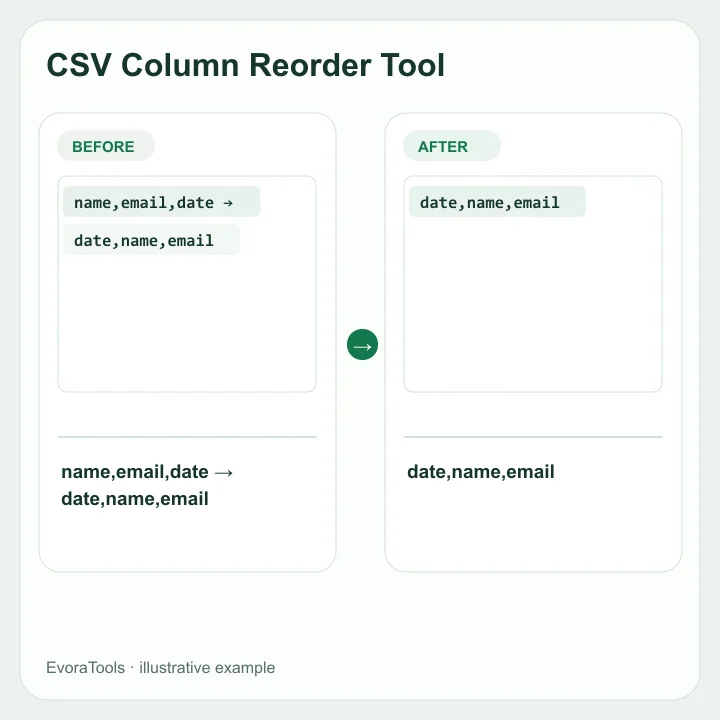
What is the quickest way to csv column reorder tool?
Enter Column order, run CSV Column Reorder Tool, and use the returned csv column reorder tool result.
Understanding csv
Developer data formats depend on precise syntax and interoperability rules. Formatting changes presentation, validation checks grammar, and conversion maps one data model into another. For this page, the specific intent is csv column reorder tool; that boundary distinguishes it from broader tools in Developer Tools.
How it works
The tool applies the named parser or deterministic transformation, reports malformed input instead of executing it, and returns text that can be copied into a development workflow. Here, the relevant input is Column order, and the output is tailored to csv column reorder tool.
Key concepts
CSV Column Reorder Tool input and result
The input is Column order. The output represents csv column reorder tool, so review its format before reuse.
Why csv column reorder tool matters
A dedicated csv column reorder tool workflow reduces ambiguity: the operation has one stated intent and does not silently perform unrelated changes.
When to use it
- Debug an API payload or configuration file when the goal is csv column reorder tool.
- Prepare data for another toolchain when the goal is csv column reorder tool.
- Spot syntax and structural problems before integration when the goal is csv column reorder tool.
When not to use it
- Valid syntax does not guarantee a payload matches an application schema.
- Review numeric precision and unsupported data types after conversion.
- Never execute generated output without reviewing it.
Worked examples
Typical csv task
- Input
Column order = name,email,date- Expected output
A csv column reorder tool result ready to review
This demonstrates the primary intent described by CSV Column Reorder Tool.
CSV Column Reorder Tool boundary check
- Input
Column order = representative input- Expected output
A validated csv column reorder tool result or a clear input error
Boundary values reveal the unit, syntax, range, and formatting assumptions specific to CSV Column Reorder Tool.
Using the CSV Column Reorder Tool output
- Input
Column order = name,email,date- Expected output
Output copied or downloaded for the destination system
The final destination determines the precision, format, and review needed after csv column reorder tool.
Common mistakes
Using the wrong csv input
Valid syntax does not guarantee a payload matches an application schema. Correction: Confirm that Column order matches the page labels.
Skipping review after csv column reorder tool
Review numeric precision and unsupported data types after conversion. Correction: Compare the result with the original and its destination requirements.
Expecting CSV Column Reorder Tool to do more
Never execute generated output without reviewing it. Correction: Use a related tool when the task extends beyond csv column reorder tool.
Best practices
- Keep an original copy before using CSV Column Reorder Tool.
- Use consistent input formats and units for csv column reorder tool.
- Review the CSV Column Reorder Tool result in the system where it will be used.
Related operations and differences
CSV Column Renamer
Choose CSV Column Renamer when you need to rename a CSV column.; use CSV Column Reorder Tool specifically for csv column reorder tool.
CSV Pivot Tool
Choose CSV Pivot Tool when you need to create a simple grouped pivot summary.; use CSV Column Reorder Tool specifically for csv column reorder tool.
CSV Unpivot Tool
Choose CSV Unpivot Tool when you need to convert wide columns into attribute-value rows.; use CSV Column Reorder Tool specifically for csv column reorder tool.
CSV Data Type Detector
Choose CSV Data Type Detector when you need to detect likely data types for each column.; use CSV Column Reorder Tool specifically for csv column reorder tool.
CSV Delimiter Converter
Choose CSV Delimiter Converter when you need to convert between CSV delimiters.; use CSV Column Reorder Tool specifically for csv column reorder tool.
CSV Empty Row Remover
Choose CSV Empty Row Remover when you need to remove completely empty CSV rows.; use CSV Column Reorder Tool specifically for csv column reorder tool.
Limitations and privacy
- Conversions can only preserve concepts shared by both formats.
- Parser error wording and edge-case support depend on the bundled standards-based library.
The supplied input is processed locally in this browser.
Frequently asked questions
What does CSV Column Reorder Tool do?
It reorder CSV columns by header name. The operation is limited to csv column reorder tool and does not infer requirements that are not shown.
What input should I use for csv column reorder tool?
Use Column order in the units or format shown beside each field.
How should I interpret the CSV Column Reorder Tool result?
Treat the output as the direct result of csv column reorder tool. Check it in the destination context, especially when rounding, formatting, metadata, or irreversible file changes matter.
What limitations apply to CSV Column Reorder Tool?
Conversions can only preserve concepts shared by both formats. Parser error wording and edge-case support depend on the bundled standards-based library.