Macro Calculator
Allocate daily calories among protein, fat and carbohydrate.
Runs locally — files stay on your deviceWhat this tool does
Macro Calculator allocate daily calories among protein, fat and carbohydrate. The page accepts a focused input and displays a result that can be copied into another workflow. Check generated values and remote responses against the actual destination before publishing or acting on the result. The supplied input is processed locally in the browser.
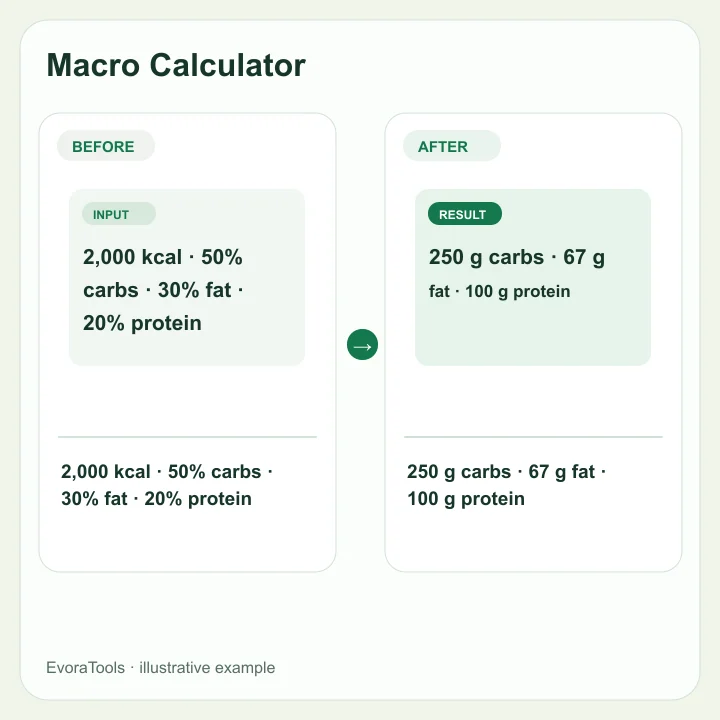
What is the quickest way to macro calculator?
Enter Calories, Protein, Fat, run Macro Calculator, and use the returned macro calculator result.
Understanding macro
This utility applies one focused transformation to the supplied input. For this page, the specific intent is macro calculator; that boundary distinguishes it from broader tools in Health & Fitness.
How it works
Enter the requested values, run the operation, and review the result before copying or downloading it. Here, the relevant input is Calories, Protein, Fat, and the output is tailored to macro calculator.
Key concepts
Macro Calculator input and result
The input is Calories, Protein, Fat. The output represents macro calculator, so review its format before reuse.
Why macro calculator matters
A dedicated macro calculator workflow reduces ambiguity: the operation has one stated intent and does not silently perform unrelated changes.
When to use it
- Complete a focused digital task when the goal is macro calculator.
- Prepare consistent output when the goal is macro calculator.
- Check a result before reuse when the goal is macro calculator.
When not to use it
- Review the output in its destination context.
- Keep the original input when the change is irreversible.
- Do not infer guarantees beyond the displayed result.
Worked examples
Typical macro task
- Input
Calories = 25; Protein = 25; Fat = 25- Expected output
A macro calculator result ready to review
This demonstrates the primary intent described by Macro Calculator.
Macro Calculator boundary check
- Input
Calories = 0; Protein = 0; Fat = 0- Expected output
A validated macro calculator result or a clear input error
Boundary values reveal the unit, syntax, range, and formatting assumptions specific to Macro Calculator.
Using the Macro Calculator output
- Input
Calories = 25; Protein = 25; Fat = 25- Expected output
Output copied or downloaded for the destination system
The final destination determines the precision, format, and review needed after macro calculator.
Common mistakes
Using the wrong macro input
Review the output in its destination context. Correction: Confirm that Calories, Protein, Fat matches the page labels.
Skipping review after macro calculator
Keep the original input when the change is irreversible. Correction: Compare the result with the original and its destination requirements.
Expecting Macro Calculator to do more
Do not infer guarantees beyond the displayed result. Correction: Use a related tool when the task extends beyond macro calculator.
Best practices
- Keep an original copy before using Macro Calculator.
- Use consistent input formats and units for macro calculator.
- Review the Macro Calculator result in the system where it will be used.
Related operations and differences
Body Fat Percentage Calculator
Choose Body Fat Percentage Calculator when you need to estimate body fat from BMI, age and sex using a population formula.; use Macro Calculator specifically for macro calculator.
Calorie Deficit Calculator
Choose Calorie Deficit Calculator when you need to estimate daily calorie intake for a weight-loss target.; use Macro Calculator specifically for macro calculator.
Calorie Surplus Calculator
Choose Calorie Surplus Calculator when you need to estimate daily calorie intake for a weight-gain target.; use Macro Calculator specifically for macro calculator.
Ideal Weight Calculator
Choose Ideal Weight Calculator when you need to estimate a reference weight using BMI 18.5–24.9.; use Macro Calculator specifically for macro calculator.
Lean Body Mass Calculator
Choose Lean Body Mass Calculator when you need to calculate lean mass from weight and body-fat percentage.; use Macro Calculator specifically for macro calculator.
One Rep Max Calculator
Choose One Rep Max Calculator when you need to estimate one-repetition maximum from a set of repetitions.; use Macro Calculator specifically for macro calculator.
Limitations and privacy
- Results depend on browser support and valid input.
The supplied input is processed locally in this browser.
Frequently asked questions
What does Macro Calculator do?
It allocate daily calories among protein, fat and carbohydrate. The operation is limited to macro calculator and does not infer requirements that are not shown.
What input should I use for macro calculator?
Use Calories, Protein, Fat in the units or format shown beside each field.
How should I interpret the Macro Calculator result?
Treat the output as the direct result of macro calculator. Check it in the destination context, especially when rounding, formatting, metadata, or irreversible file changes matter.
What limitations apply to Macro Calculator?
Results depend on browser support and valid input.